Who doesn’t love a monogram? I am loving them even more since I got into the world of embroidery. I decided to create a set of monogram coasters out of cork fabric.
I was so excited to see the finished project and even more excited when I realized how EASY and QUICK they are to make.
I got a little carried away and decided to make all the different types of embroidery files so that you can make a set for someone you love, or make a set for yourself. The pattern is blank in the middle, so you can add your favorite monogram or design in the center. You can get the embroidery files here.
Once you’ve gotten the files, join me in the tutorial below and I’ll show you how to stitch them out.
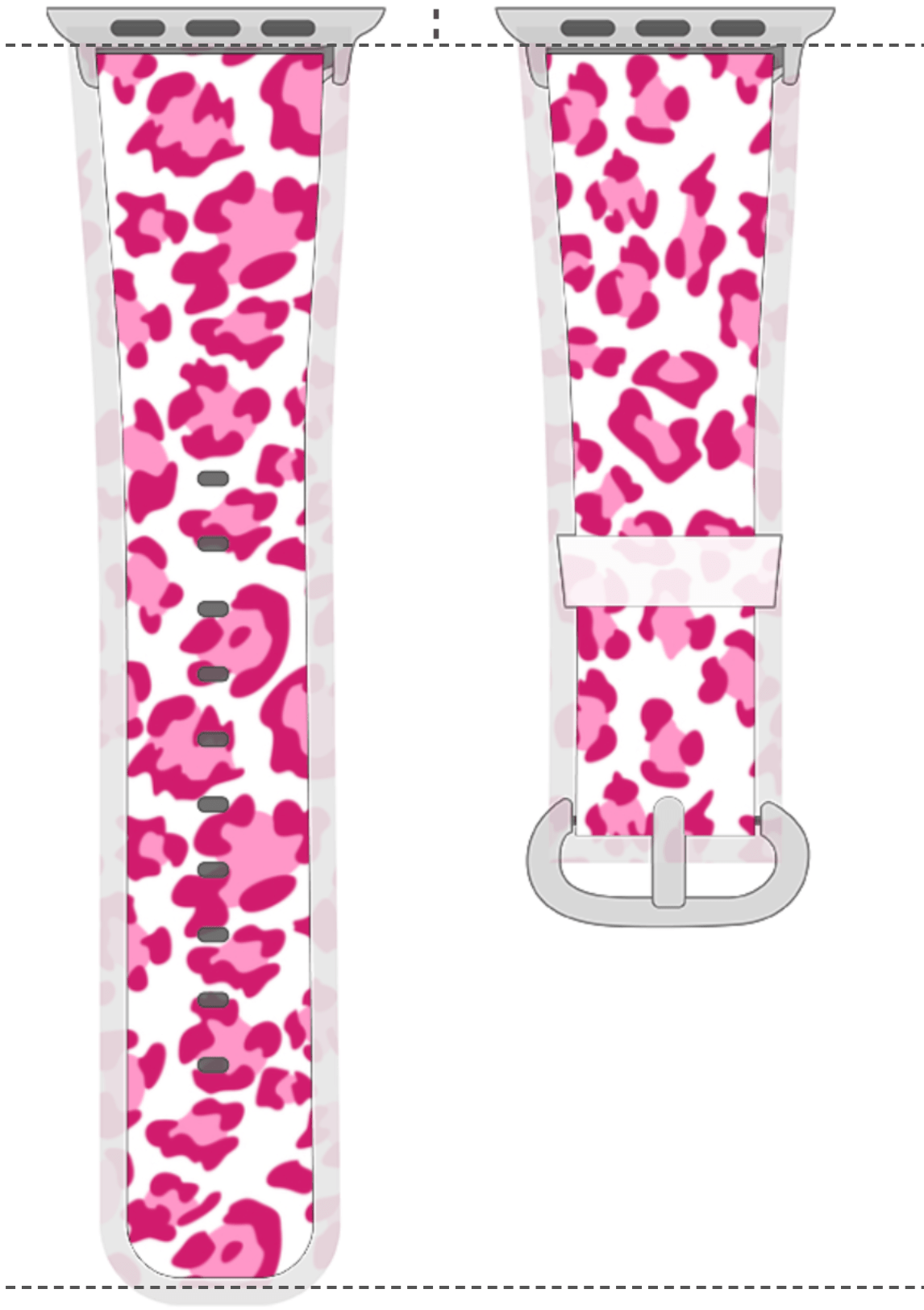
It’s a week before Christmas! Can you even believe it? I’ve got a quick and easy gift idea for your Apple Watch wearing friends. How about a totally customized watch band? I made this one in about ten minutes using my Sublimation Printer and these watch band blanks. I know I say it everytime, but wouldn’t this be a great stocking stuffer, too!
I had so many ideas running through my head. Favorite sports team, logo, leopard, buffalo plaid, holiday, team/school colors, holiday themes and so many more! Here are just a few “mock ups” I made.
What would you put on your watch band? Leave me a comment and let me know.
Here is a tutorial for this quick and easy project:
Today I wanted to share with you this really simple embroidery idea that can potentially be a money maker for you, or at the very least, a quick and easy gift idea.
I grabbed a couple of these $5 Fleece Throws for $5 each. I thought they would be perfect for the grandkids for Daycare. I used my Chroma Luxe digitizing software to create a simple embroidered name and used the “nap blocker” feature to add the extra stitching so that the embroidery would sit on top of the fluffy fleece and not sink down into the blanket. By the way, the Chroma Inspire Software is free when you purchase a Ricoma EM1010, but you can also just buy and use the software.
Adding the simple embroidery took an ordinary blanket to extraordinary in a matter of minutes. You could easily sell this on popular selling sites for more than triple the cost that it takes to make it.
I used the Ricoma EM1010 mutli-needle embroidery machine. It made it so easy! You can make this on a single needle machine, too just be sure to create a design that fits within your hoop. The Em1010 easily stitched out these 3″ tall letters on each blanket.
Once I made the blankets for the grandkids, I ran back to the store to get more blankets. I am going to embroider my children’s names on them to use as emergency car blankets and/or trunk blankets. I’ve had one in my car for years that someone gifted me.
I’ve created a tutorial to walk you through from the digitzing process through the stitch out. You can watch it here.
*Disclaimer: Some links above are affiliate links. By clicking on these links I may earn a small commission at no cost to you. Some products may have been provided to me by vendors. All opinions and reviews are strictly my own.
They are a little gift all by themselves. How cute to leave one in the mailbox for your mail person, make them for neighbors, students, co-workers, etc. They are a really easy in the hoop project. Simply select all of your colors and in no time you will have some really cute candy cane holders.
I absolutely love the detail Scissortail Stitches includes in her digitizing. The tree texture, the detail in the bird’s scarf, etc. are signs of a well digitized file. I couldn’t be happier with the results.
You will need a 5 x 7 hoop to make these (unless you have software to resize them). I used my Ricoma EM1010 mutli-needle embroidery machine, but you can make them easily with a single needle as well.
I made a video in case you want to try a few of these cuties.
Oh my goodness! I was so excited when I opened a recent parcel from Heat Transfer Warehouse. This cute mason jar style mug was inside. It’s a sublimation blank and I couldn’t wait to make her pretty!
I was able to use my 11 oz mug press even though this is a larger mug. I do, however, have this mug press on order so that making larger sublimation mugs will be even easier. I am having so much fun with my Sublimation Printer. The holidays are going to be filled with fun and personalized items for my friends.
Here’s the video tutorial of the sublimation of this cute mason mug!
It’s Mid December and Christmas is just around the corner. I am in the midst of online shopping to finish up a few of my crafty gift ideas for friends and family. I wanted to check out some of the specials with HSN and QVC because I know, many are wanting to use the Flex payment options.
So, let’s dive in! We will start with HSN. Did you know they carry Cricut items? Often they are the first to release exclusive colors, new machines and accessories. Here are some of the Cricut items you can find at HSN:
The 12 x 10 Cricut EasyPress. They offer Flex Pays of $35.99 a month. To all of my Sewing, Embroidery and Cricut friends, you need the EasyPress Miniin your life. It’s such a great size for pressing smaller items such as quilt pieces, embroidery applique and iron on for hats and bags. Already have the Easypress(es)? Then you need a case. This EasyPress case is made to perfectly store your EasyPress when not in use or to make traveling with your EasyPress a piece of cake. If you’ve been eyeing the Cricut Joy, they. have this Smart Bundle with Flex Pay options. Sublimation fans, you might want to score some of these Cricut Infusible Ink Pens.They are the perfect stocking stuffers for the Cricut lovers in your life.
Let’s hop over to QVC.
ThisCricut Tool Set has all of the basics you need to be ready to start creating. They are basic tools that every crafter should have in their arsenal. These Infusible Ink Wine Tote Blanks are perfect not only for Cricut Infusible Ink, but they also work perfectly with Sublimation! They make perfect holiday hostess sets or perfect packaging for gifting a bottle of wine. The Cricut Joy Tote Bagis not only cute as a button, but the perfect bag to take your Cricut Joy to any crop. Make sure you tell Santa to grab some Infusible Ink Transfer Sheets. If you love sublimation, you’re going to love these!
Be sure and check out all things crafty at QVC and HSN. They will surprise you with the wide variety of crafting machines, accessories and tools they carry. The Flex Pay makes it easy and affordable. Tell them, Santa sent you! 😉
I wanted a quick and easy, but unique gift idea for those who I like to give, what I call, an appreciation gift. The delivery people, the lady at the post office to patiently weighs my packages, the friendly worker at McDonald’s (who knows me by name because of my continuous “Large Diet Coke” orders), and my favorite check out person at the grocery.
I came up with this fun little project that literally took me about 20 minutes start to finish to make the entire set. It’s really easy create custom embroidery files when you have theChroma Softwarethat comes with every Ricoma Embroidery Machine. If you don’t have the software, don’t worry, You can get the embroidery files here. I sized the file so that they can be sewn with a 4 x 4 single needle machine all the way up to an industrial multi-needle machine. They are really quick because you really only need one thread color.
Don’t they look cute all packaged up with a simple little ribbon. I think they would be a great gift just like this, but you could also step it up and add a coffee mug, starbucks gift card or something a little extra.
Here is a step by step tutorial. Are you going to make a set? Who will be the lucky recipient? Let me know in the comments. Happy Embroidering 🙂
*Disclaimer: Some links above are affiliate links. By clicking on these links I may earn a small commission at no cost to you. Some products may have been provided to me by vendors. All opinions and reviews are strictly my own.
I was so excited to make name tags for my son and daughter-in-law. They recently moved out of town and this will be their very first Christmas to not be here for the holidays. I wanted to make sure they get to experience a big part of our holidays, which is the stocking. In my opinion, it’s the most fun part of Christmas morning. We always open the stockings first.
Even though I bought them new stockings with initials, I wanted to add some customized tags. The Glowforge makes it so super easy to create one-of-a-kind customized pieces. It really only took a few minutes to create the file and a little over 3 minutes to cut. Pretty crazy, right? If you’ve been thinking about a Glowforge, I say go fo it! I love that I can make personalized gifts out of leather, acrylic wood and so much more! If you use this link you will save $100 on the Basic, $250 on the Plus and $500 on the Pro!
What would you like to make if you have a Glowforge? Leave me a comment.
I made a tutorial for for these cute tags, you knew I would!
*Disclaimer: Some links above are affiliate links. By clicking on these links I may earn a small commission at no cost to you. Some products may have been provided to me by vendors. All opinions and reviews are strictly my own.
Hello Teddy Bear Cuteness! Ace and Evie are going to go nuts over these Teddy Bear Plushies. First of all, they are plushies and second of all, they have their favorite characters on them. I bet you can guess who likes each one, but I can almost guarantee they will still fuss over them.
These plushies with sublimatable T-shirts are from JP Plus. You can get them here. They also havea rabbit, dog and an elephant. I purchased two of the the bears just to keep the arguing to a minimum (I know some of you can relate). Use code 9PSR5 and get 15% off your order (be sure andadd the shirts to your order – they don’t come with the plushie).
I put together a quick video to show you just how easy they are to customize. Leave me a comment and let me know what you will put on your plushies. Will you get the Bunny, Dog, Elephant or Bear?
*Disclaimer: Some links above are affiliate links. By clicking on these links I may earn a small commission at no cost to you. Some products may have been provided to me by vendors. All opinions and reviews are strictly my own.
This entire project cost me less than $5. I purchase the towel from the Target Dollar Spot for $3 and the SVG file was part of a mega bundle I bought awhile back.